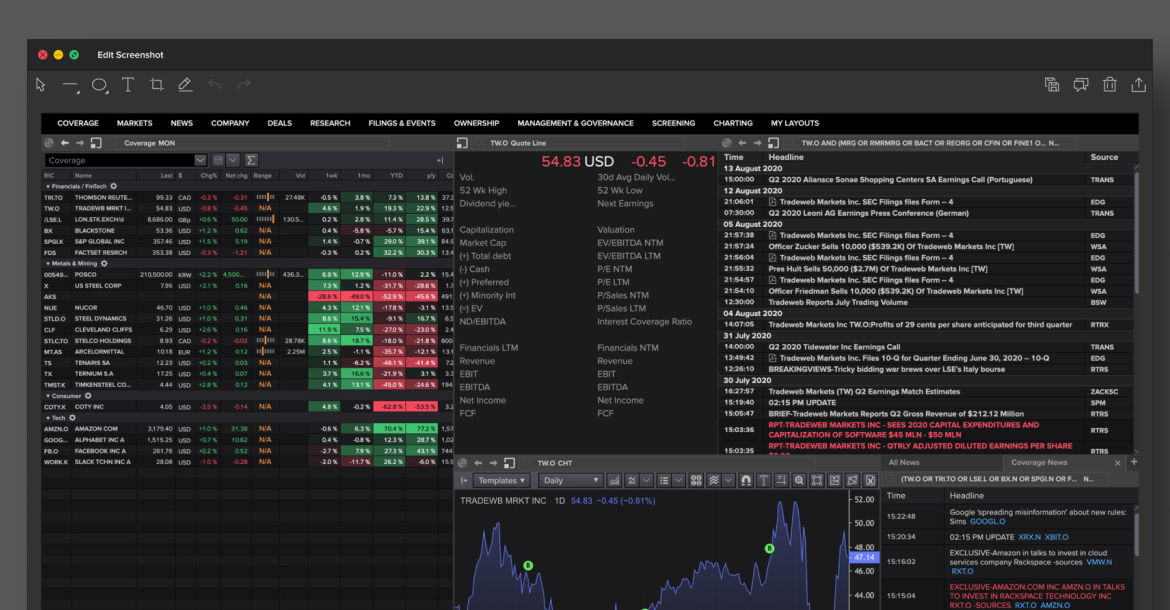
Screenshot Annotation Feature
This project involved redesigning the screenshot annotation feature from the old Eikon system to the new Refinitiv Workspace application.
Project Overview
The main aim was to redesign the screenshot annotation tool from its predecessor, Eikon, and redesign it for Refinitiv Workspace. This required an understanding of user needs, following brand guidelines, research of existing interactions and workflows, and any technical limitations of Refinitiv Workspace.
Key Responsibilities
- Requirement gathering was performed with help from communications across multiple teams and individuals such as stakeholders, product managers, developers, and end-users, to define the requirements needed. This helped us retain important features from Eikon while also finding ways to improve them.
- We followed 2 week sprints to maintain feedback from other designers and stakeholders also to help manage with the development.
Design Considerations
- Consistency: We needed to be consistent with not just the look and feel of Refinitiv Workspace but also the user interaction for a seamless experience.
- Efficiency: Design thinking enabled the screenshot annotation process to be streamlined.
- Sharing screenshots was the most commonly used interaction so allowing for ease of use for sharing was a priority.
Outcomes and Impact
The new screenshot annotation tool made it much easier for existing Eikon users to move to Refinitiv Workspace. They retained familiar features and overall improved the entire user experience while adhering to the branding.
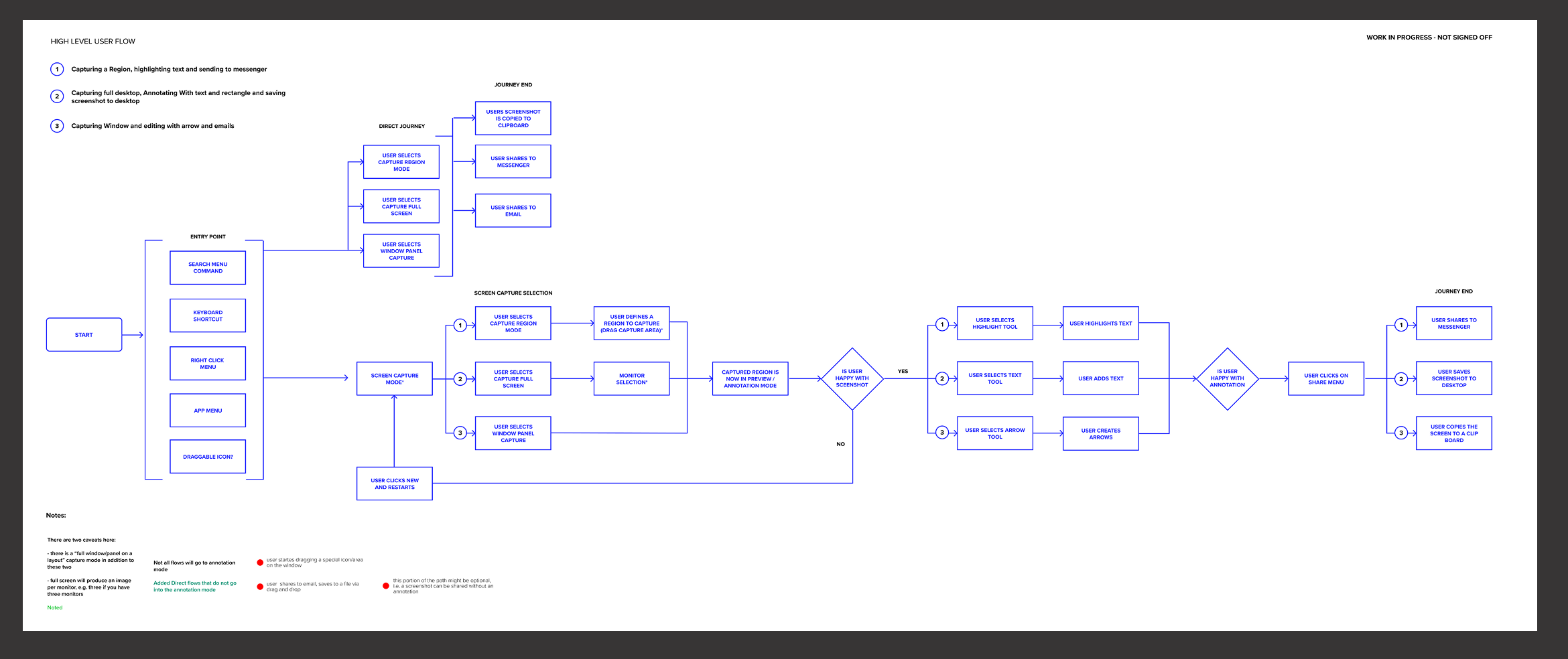
User Flow Mapping: I created detailed user flow diagrams to show how people would use the screenshot annotation tool within the new Refinitiv Workspace environment. These flows helped identify potential sticking points and ways to simplify the annotation process.
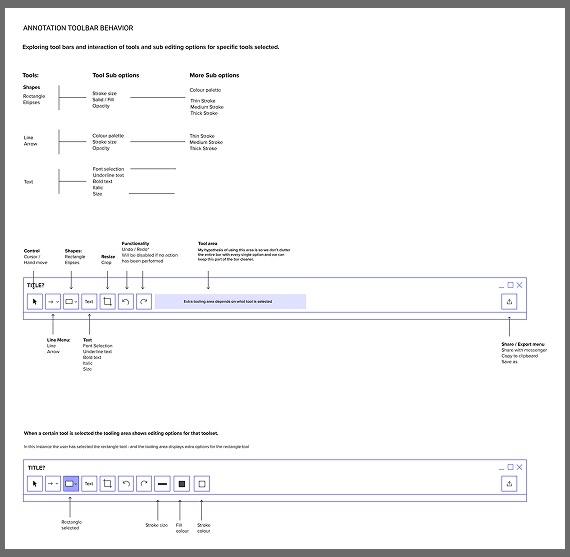
Wireframing: Based on the requirements and research findings, I developed simple wireframes to quickly test different layout options and feature placements. These wireframes formed the basis for discussions with the development team and stakeholders.
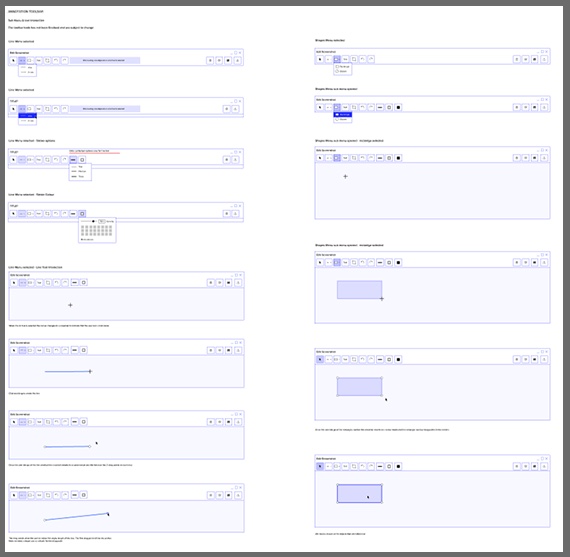
Wireframes and flows on all the individual annotation tools.
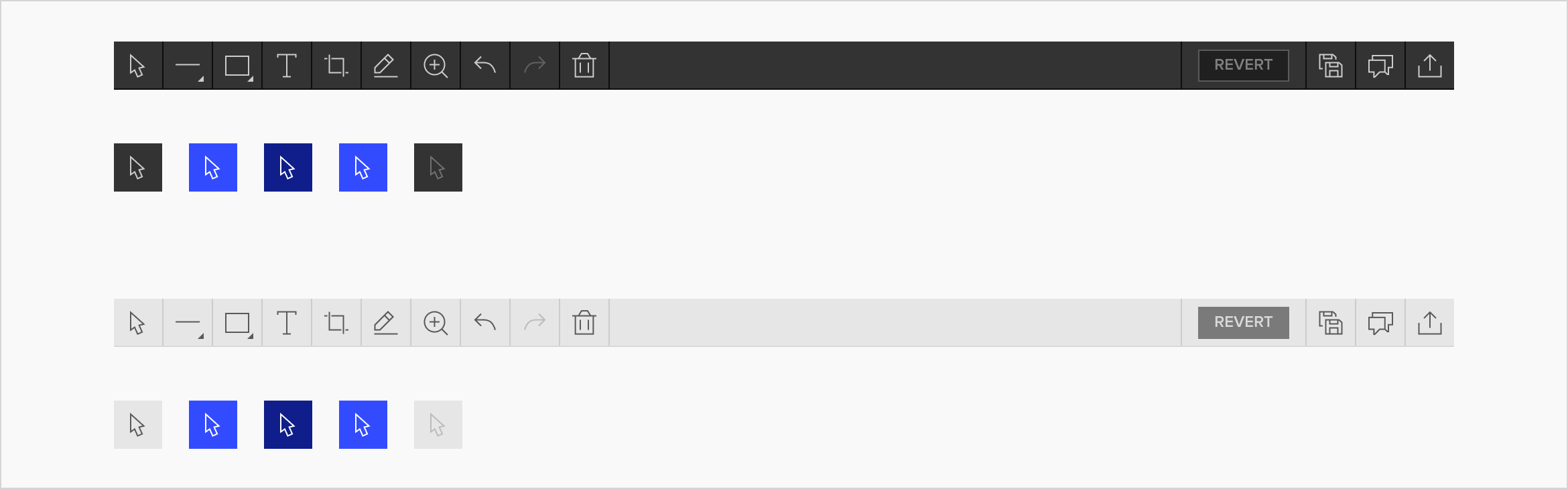
Finalised UI of the toolbar and cursor states

Active Menu selected
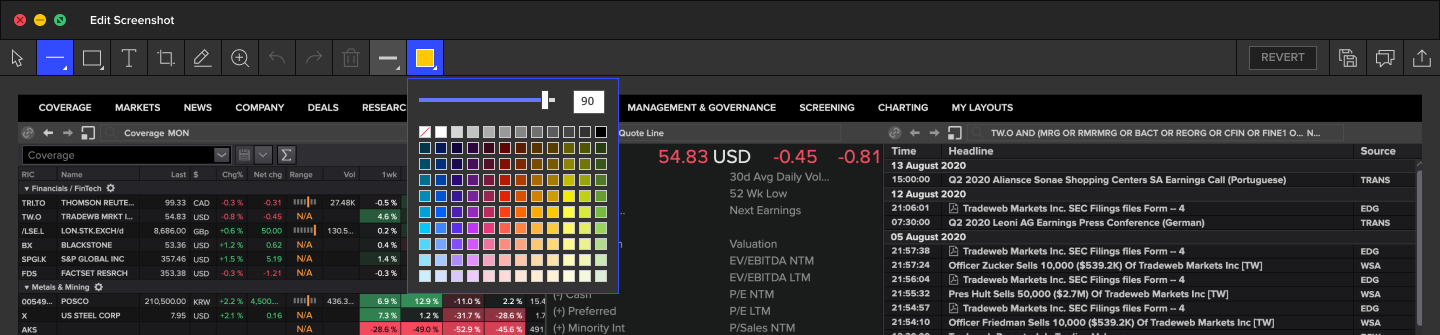
Colour Selection menu
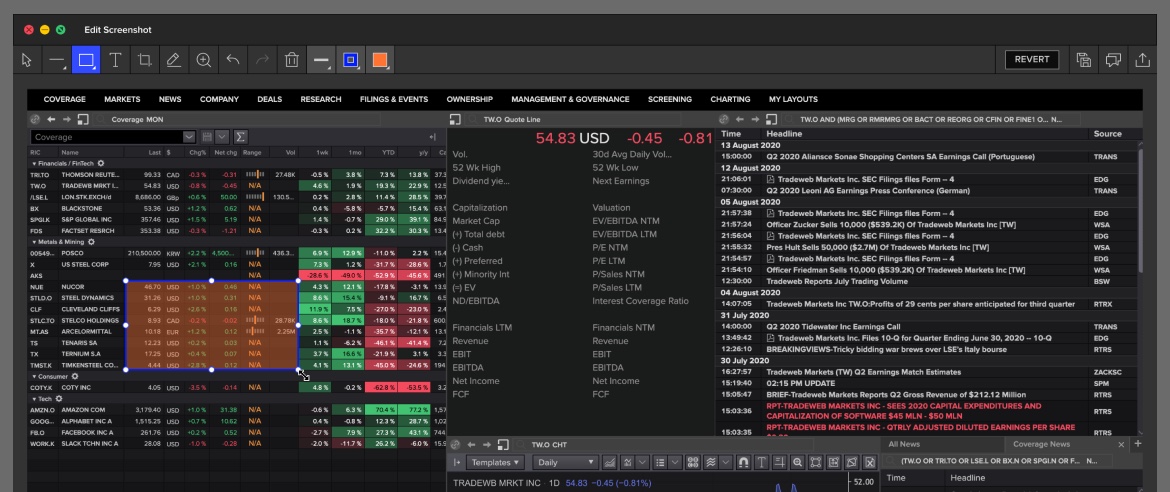
Working alongside all the branding and design systems teams to have a seamless consistent Refinitiv Workspace experience.
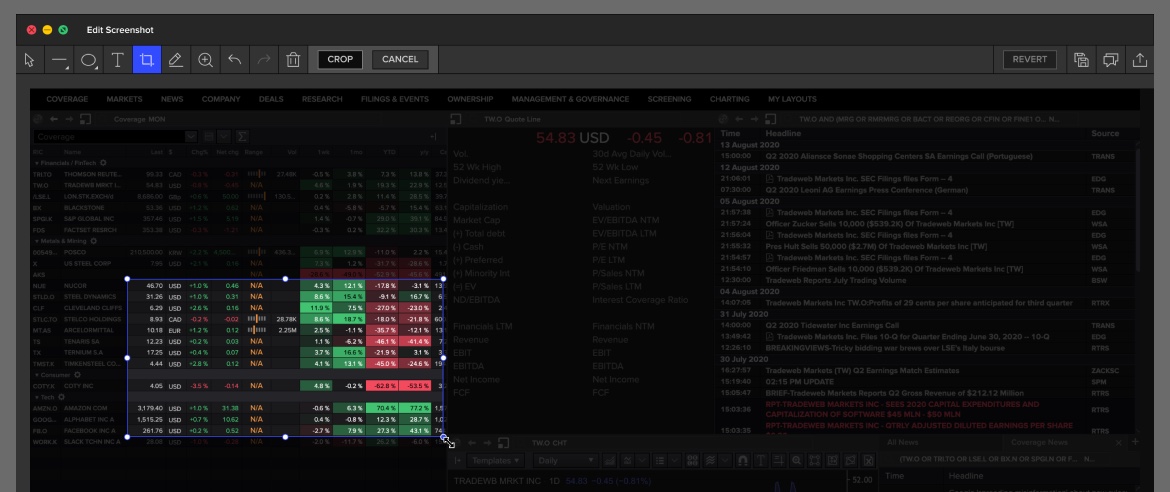
Active crop tool
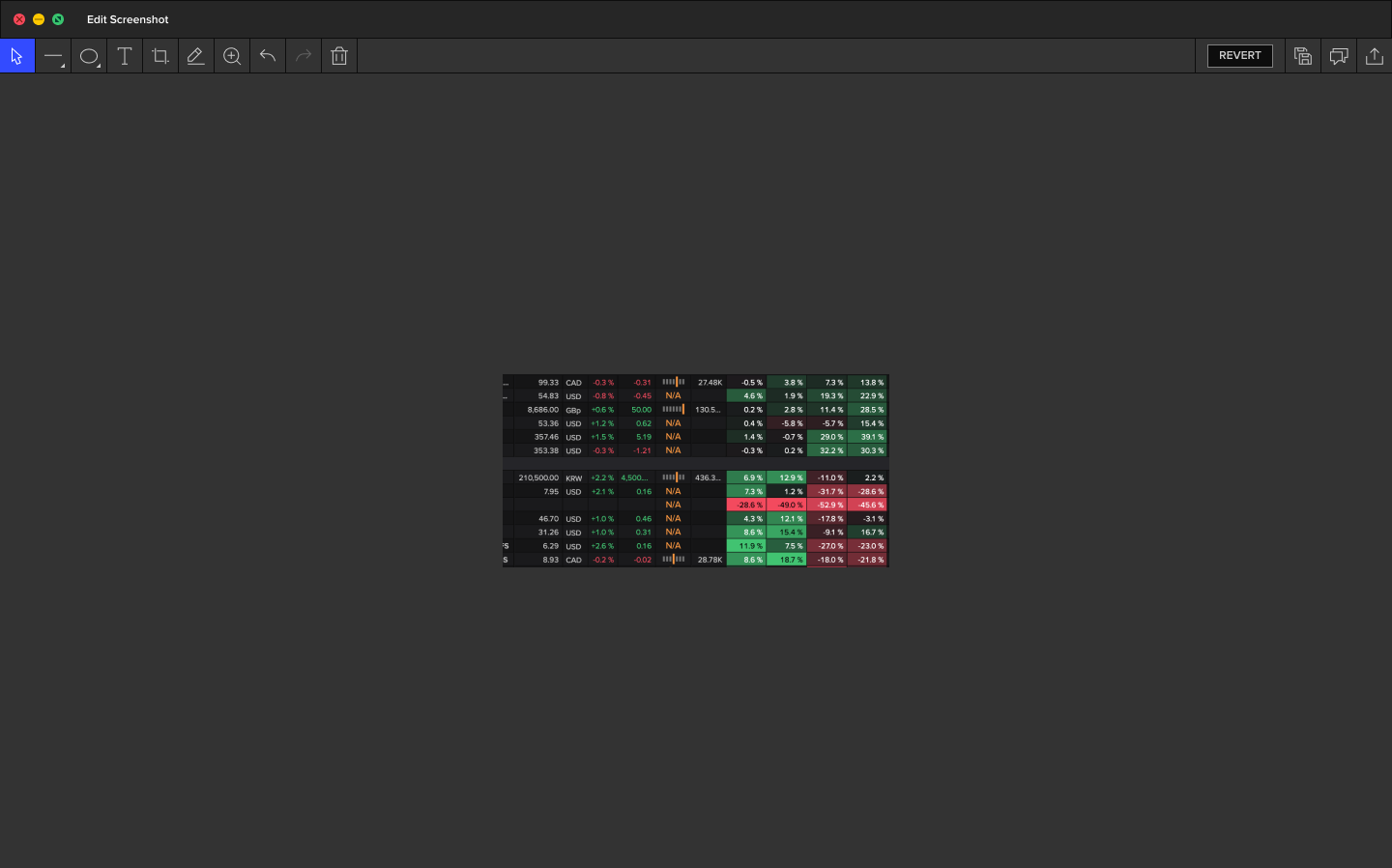
Image cropped
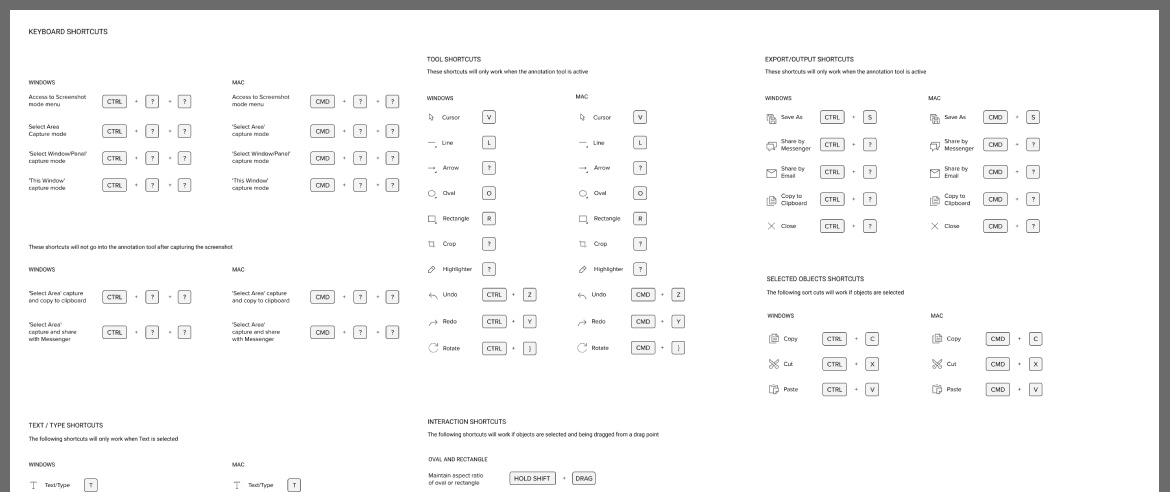
Keyboard shortcuts and mapping